_461938.png)
_89d3ab.png)
_78ef2e_1903c3.png)
_78ef2e.png)
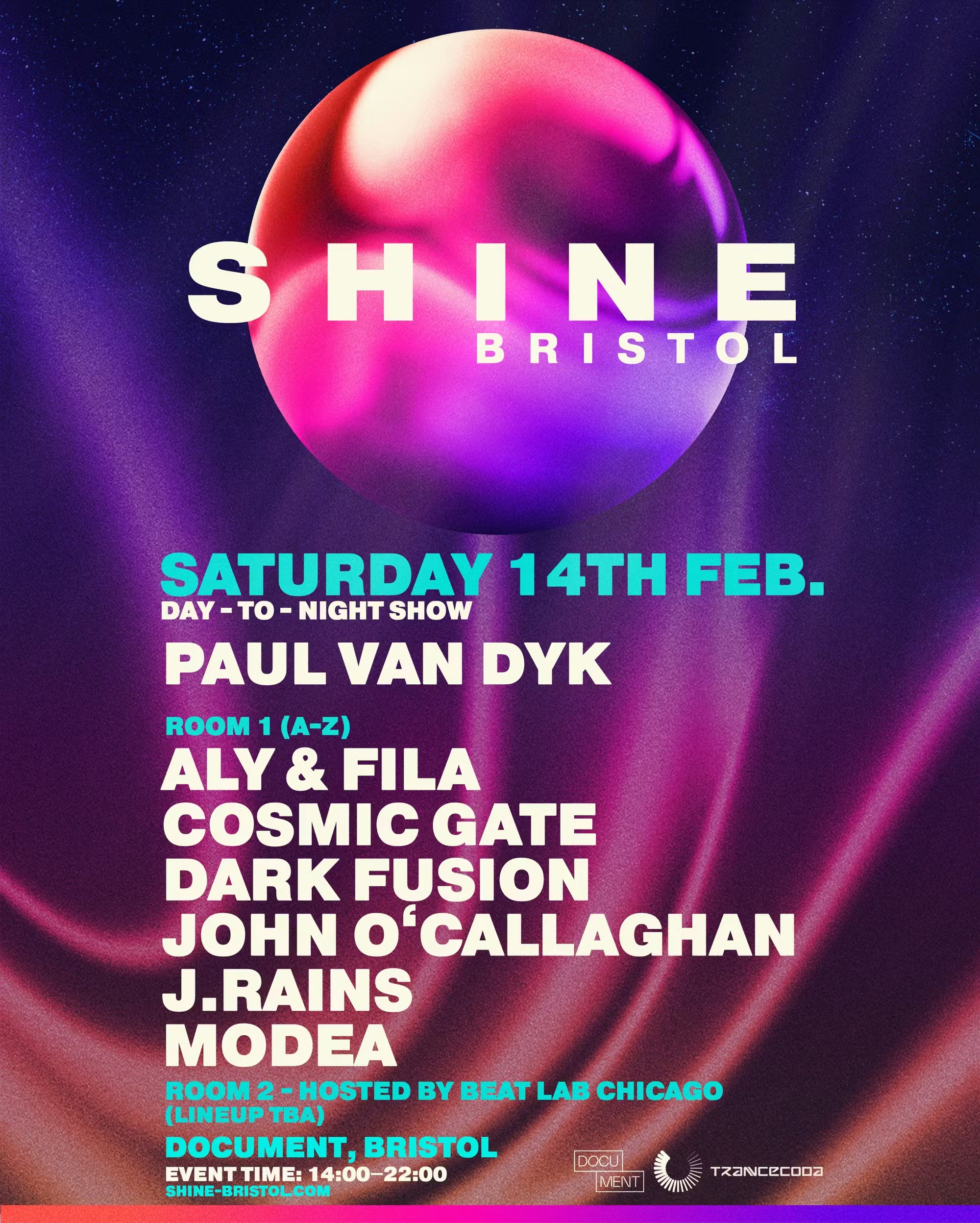
Document Presents: SHINE Bristol Ft. Paul Van Dyk ++ (Saturday 14th February 2026)
Event created by ClubTheWorld
Document Presents: SHINE Bristol ft. Paul van Dyk ++
The legendary SHINE brand, created by Paul van Dyk, lands in Bristol for one unforgettable night, bringing the full force of its world-famous Ibiza energy to the city.
Renowned for expertly curated line-ups and high-impact production, SHINE has become a global benchmark for premium trance events — and this Bristol edition is no exception.
Headlining the night is Paul van Dyk, joined by trance royalty Aly & Fila, Cosmic Gate, and John O’Callaghan, with support from rising talents Dark Fusion, Modea, and J.Rains. Presented in collaboration with TranceCoda, expect an immersive journey through uplifting, melodic, and powerful electronic music.
TICKETS ON SALE NOW
Important Info
Last entry: 17:00
Strictly 18+ — valid physical ID required (Driving Licence or Passport only).
Photos of ID will not be accepted.
Searches will be in operation as a condition of entry.
Venue:
Document Bristol
30–64 Pennywell Road
St Judes, Bristol
BS5 0TL
Keeping Bristol Moving.
document-bristol.com
Tickets
skiddle.com
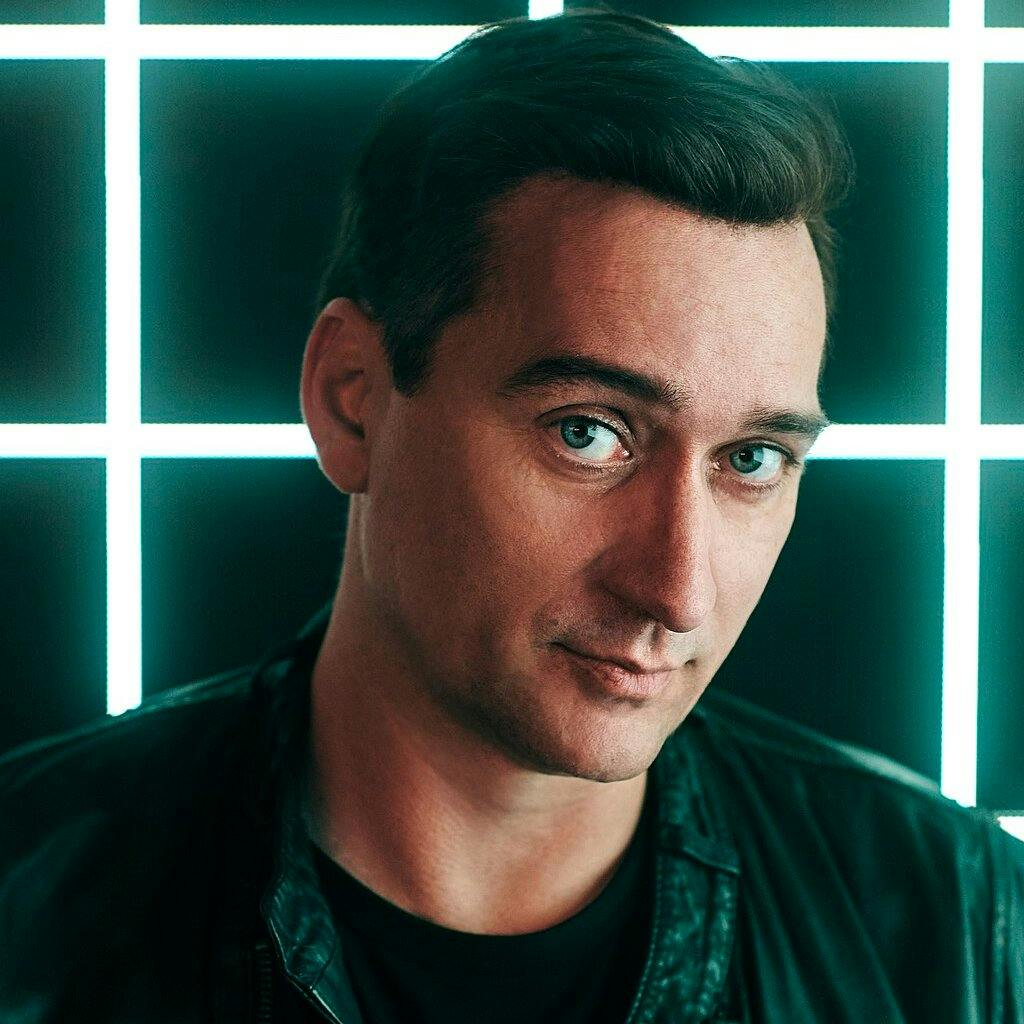
Document Presents: SHINE Bristol Ft. Paul Van Dyk ++ at D...
Flyer