
_461938.png)
_89d3ab.png)
_78ef2e_1903c3.png)
_78ef2e.png)

Event created by ClubTheWorld
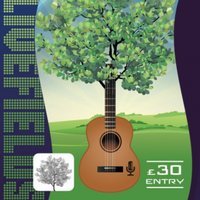
Saturday 11th July 2026
SATURDAY TICKETS £30
Oakwell Hall, Nutter Lane, Birstall, West Yorkshire WF17 9LG
Location Information
Oakwell Hall is just a few minutes drive off the M62, from either Junction 26 from the West or 27 from the East.
There is parking available next to the event for FREE
Gomersal Park Hotel will provide a discounted room rate for festival attendees. Just call 01274 869386 and quote ‘Livefields’ when booking.
Bars
All bars are fully Licensed. Soft drinks and water are also available.
Age Restrictions
Attendees must be aged 14 or over. Under 18s must be accompanied by an adult, Sunday is any age
PERMITTED AT THE FESTIVAL
Chairs, Blankets & cigarettes for personal use only.
NOT PERMITTED
Your own alcohol, water, aerosols, flares, air horns, fireworks, gas canisters, audio recorders, animals, bags larger than A4 size, cans, drones, glass, drugs, picnics and food.
ANY OF THE ABOVE WILL BE CONFISCATED ON ENTRY
Accessibility
To arrange any special requirements, please contact us directly by calling 07803 792159 or by email livefieldsfestival@gmail.com
Personal Safety
A First Aid Station will be available onsite, as well as Fire Points, emergency information and onsite toilets.
There is a policy for leaving and re entering the festival
Tickets are non refundable
Tokens are non refundable
Genres: 1990s, House, Indie, Pop, Rock
Venue: Oakwell Hall Country Park, Birstall
Event listing provided by Skiddle.
