
_461938.png)
_89d3ab.png)
_78ef2e_1903c3.png)
_78ef2e.png)
Housework presents Shipwrecked on the Thames boat party

Event created by ClubTheWorld
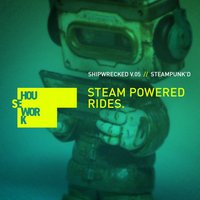
All aboard for the ultimate high-seas house music odyssey! Shipwrecked v05 is back, and this time, we are getting fully SteamPunk’d.
On Saturday, 18th July, Housework takes over the River Thames for an unforgettable afternoon of pure, unadulterated house music. We are boarding an incredible triple-deck vessel at Blackfriars Pier for a four-hour, high-energy voyage you do not want to miss.
The Soundtrack:
The Main Deck: Expect a full-throttle, hands-in-the-air house session powered by Housework’s finest residents.
The Engine Room: Head below deck for a deeper, darker, industrial tech-house vibe.
The Vibe: Think gears, goggles, leather, and lace. Steampunk attire is highly encouraged - let’s make this visually spectacular as we cruise through the heart of London!
Tickets for this legendary boat party always fly out. Grab yours now, dust off your top hats, and get ready to get Shipwrecked!
Crucial Info:
Boarding: 12:30 PM (Don't be late, the boat won't wait!)
Disembark: 16:30 PM
Departure Pier: Blackfriars Pier, London
Genres: Disco, Disco House, Funky House, House, Tech House
Venue: London River Thames, Central London
Event listing provided by Skiddle.
