
_461938.png)
_89d3ab.png)
_78ef2e_1903c3.png)
_78ef2e.png)

Event created by ClubTheWorld
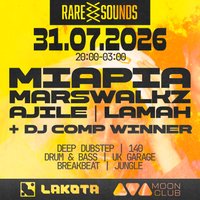
Rare Sounds are finally making their Lakota Moon Club debut with a stacked lineup of incredibly talented artists, expect a night full of some of the heaviest tunes you've ever heard.
MIAPIA a fast-rising DJ carving her name into the UK bass scene with high-energy sets rooted in
everything around 140 BPM. Blending UKG, dubstep, breaks, and heavy bass selections, she
brings a raw, electrifying sound that’s quickly becoming her signature.
MARSWALKZ a Bristol-based DJ and producer known for his high-energy,
genre-blending approach that fuses UK Garage, Dubstep and Jungle. His
sound channels the raw energy of the underground while pushing into
cutting-edge territory, earning him performances at Boomtown and NASS
Festival. With releases across respected UK labels and a rapidly growing
online presence, MARSWALKZ is quickly emerging as one of the South
West’s most exciting new electronic artists.
AJILE & LAMAH Rare Sounds very own, blending a variety of all the genres we know and love, reading the crowd, providing non-stop energy with every set.
Get ready for an insane night of heavy wobblers!
Dubstep, Drum & Bass, UKG & more in the heart of Bristol
DJs / Artists: AJILE, LamaH
Genres: Bass Music, Breaks, Drum and Bass, Dubstep, UK Garage
Venue: Lakota Moon Club, Bristol
Event listing provided by Skiddle.
