
_461938.png)
_89d3ab.png)
_78ef2e_1903c3.png)
_78ef2e.png)
Save The Rave: Old Skool Outdoor Festival, Southport 2026

Event created by ClubTheWorld
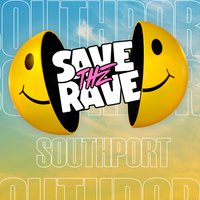
SAVE THE RAVE 2026
Save The Rave returns to Southport for a full day of Old Skool, 90s Dance and Rave Classics. This is the soundtrack of your youth brought back to life with huge production, festival‑level staging and thousands of like‑minded ravers.
Expect massive DJs, outdoor arenas, fairground vibes and pure nostalgia from start to finish. If you grew up on 90s club nights, iconic anthems and that electric rave atmosphere… this is your Summer Festival sorted.
We're excited.
We're ready
Are you ?
Early bird Tickets and VIP experience on sale on Friday
www.savetherave.co.uk
#SaveTheRave #AdventureCoast #Southport2026
Genres: 1990s, Club Classics, House, Old Skool, Trance
Venue: Adventure Coast Southport, Southport
More from Ian Van Dahl:
- Love the 00s with Ian Van Dahl - Kirkcaldy — 18 Jul 2026
- Forsaken Forest Festival BTID Clubland — 25 Jul 2026
- Back To The 90s - Summer Outdoor Festival - Birmingham — 25 Jul 2026
- Clubland By The Sea — 31 Jul 2026
Event listing provided by Skiddle.
