
_461938.png)
_89d3ab.png)
_78ef2e_1903c3.png)
_78ef2e.png)

Event created by ClubTheWorld
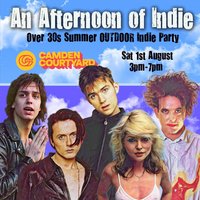
The UK's biggest indie party is back in Camden again with another OUTDOOR summer special Afternoon of Indie for all you over 30s.
We're returning to Camden Courtyard, right in the heart of Britpop/punk/indie-sleazeLand!
Feeling Gloomy & Old School Indie DJs will be playing a mix of indie classics from across the decades so whether you were an 70s punk, 80s new waver, 90s britpopper or early 00s poser they'll be something for everyone.
There will plenty of seating, and we will start off relaxed, so you can enjoy your Saturday, before opening the throttle for our infamous indie disco.
Fear not, if it rains, we have a plan-b so we can all seek shelter indoors at Electric Ballroom and carry on!
The party starts 3pm will finish at 9pm and you'll be in the heart of Camden so you can re-live your indie memories.
There is a strict door policy of no under 30s, so please bring ID as you will be asked to show it
What to expect: The best in indie from: Bowie, Pulp, Clash, Jam, Cure, Joy Division, Stone Roses, Smiths, New Order, Strokes, Supergrass, Kinks, Franz Ferdinand, Nirvana, Ash, Rolling Stones, Who, Primal Scream, Killers, Sultans of Ping, Buzzcocks, Ramones, Specials, Blondie, Hole, Madness, La's, Weezer, Cardigans, Housemartins, Coral, Undertones, Inspiral Carpets, Bloc Party, Beatles, Yeah Yeah Yeahs, Radiohead, Suede, Echo and The Bunnymen, Pixies plus the odd bit of rock n roll, soul, northern soul and ska!
Genres: Disco, Funk, Pop, Soul
Venue: Camden Courtyard, London
Event listing provided by Skiddle.
