
_461938.png)
_89d3ab.png)
_78ef2e_1903c3.png)
_78ef2e.png)

Event created by ClubTheWorld
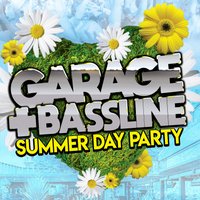
Sunday 2nd August 2026
4Play presents another amazing Garage and Bassline event. Due to Popular demand, we're proud to present our first Day Party. The Ultimate Day Rave alongside several of the best UKG and Bassline DJs on the scene. Expect an unbelievable atmosphere, amazing tunes, and a venue packed with Ravers!!
This is the only event in Notts mixing up the finest UKG, Bassline, 2step, Grime, and Speed Garage, so prepare for a dance experience you will never forget
Things to Expect...
🎵 A full day of UK Garage and Bassline anthems as we party from day till night
🎧 The best DJs in the scene
🎤 Amazing Live Performances
🍸🍔 An exclusive 4Play Cocktail and Food Menu
🕺🏽💃 The best party people from around the UK
📸 Instagrammable moments
✨️ Glitter Station
DJ's: DJ Dibz, Nastee Boi, Eyeam Raggo, Midlands Magic, MIO, Rachel Rodriguez, DJ Speedy
Live! on stage: Becky Rhodes, Champagne Bubbler (MC Host)
Doors open: 4pm until 10pm (no entry after 7pm)
At: Pitcher and Piano, High Pavement, Nottingham NG1 1HN
For more info: 07726301942 or 07811325337
Genres: Bass Music, Bassline, Drum and Bass, Grime, UK Garage
Venue: Pitcher And Piano, Nottingham
More from Nastee Boi:
- Bassfest Summer Festival 2026 — 18 Jul 2026
- Bassline on the Reef - Tenerife — 1 Oct 2026
- I LOVE R&B SPOOKFEST Halloween Day Party At Network — 31 Oct 2026
Event listing provided by Skiddle.
