
_461938.png)
_89d3ab.png)
_78ef2e_1903c3.png)
_78ef2e.png)
Eternal Groovin Summer Showcase @ Mama Roux's

Event created by ClubTheWorld
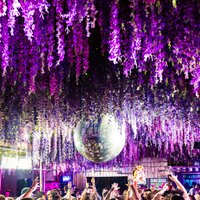
ETERNAL GROOVIN - SUMMER SHOWCASE ☀️
Summer is calling, and Eternal Groovin is back with our biggest summer party yet at the iconic Mama Roux's in Digbeth.
Expect an unforgettable night of uplifting house music, infectious grooves, and the electric atmosphere that has made Eternal Groovin one of Birmingham's fastest-growing house music brands. Whether you've been with us since day one or you're joining us for the first time, this is your chance to experience the energy that keeps our dancefloors moving all night long.
We've handpicked a lineup of talented DJs who will be taking you on a journey through vocal house, funky grooves, soulful rhythms and high-energy club anthems from start to finish.
🌴 What to expect:
• Quality house music all night
• Incredible sound system
• Immersive lighting & visuals
• Friendly, like-minded crowd
• Summer vibes from doors open until close
Gather your friends, dress for the summer, and join us for a night of music, dancing and memories at the Eternal Groovin Summer Showcase.
Good music. Good people. Eternal Groovin.
Genres: House, Tech House, UK Garage
Venue: Mama Roux's, Birmingham
Event listing provided by Skiddle.
