
_461938.png)
_89d3ab.png)
_78ef2e_1903c3.png)
_78ef2e.png)
FACE Daytime Rave - Sat 15th August

Event created by ClubTheWorld
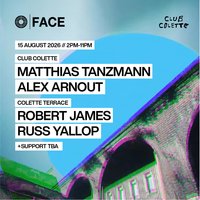
Club Colette
MATTHIAS TANZMANN
ALEX ARNOUT
ELLIOT CROFT
BUNNY CWC
JAMES HARDY
Colette Terrace
ROBERT JAMES
RUSS YALLOP
SCOTT BLEEPZ
DEANO FERRINO
MXWS
S-AMPEL
---
[ FACE IS BACK ]
[ 2010's ENERGY ]
[ MUSIC FIRST ]
[ 25+ ]
[ NO PHONE DANCEFLOOR ]
[ LGBTQ+ FRIENDLY ]
The 2010s were a defining era for underground electronic music.
A new sound was emerging from warehouse spaces, Ibiza terraces and dark basements across Europe. House music became deeper, warmer and more emotionally charged again.
FACE became part of the movement.
For over six years, FACE delivered consistent weekly Saturday parties across warehouses, courtyards, a Victorian pub, basements, railway arches and streets throughout Digbeth and beyond. It became an institution within Birmingham nightlife.
Born inside The Rainbow Pub, FACE was raw industrial spaces, marathon sets, immersive lighting, emerging artists alongside global headliners.
No two humans looked the same in a crowd full of individuality.
Long before algorithms shaped nightlife and phones destroyed dancefloors there was real dancefloors built through flyers, word of mouth and underground culture.
Now... after years away...
The full band is back together.
FACE IS BACK
Genres: Deep House, Disco, House, Tech House, Techno
Venue: Club Colette, Birmingham
Event listing provided by Skiddle.
