
_461938.png)
_89d3ab.png)
_78ef2e_1903c3.png)
_78ef2e.png)
Himley Live 2026: The Groove Society

Event created by ClubTheWorld
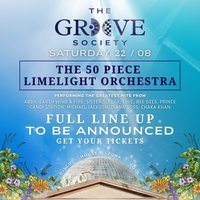
🎶 HIMLEY LIVE 2026: THE GROOVE SOCIETY 🎶
Step into a dazzling celebration of rhythm, romance, and dance as Himley Live returns to the stunning grounds of Himley Hall for an unforgettable open-air orchestral disco experience.
The Groove Society brings the greatest disco anthems to life-reimagined through the power of a full live orchestra and exceptional vocalists. A seamless fusion of symphonic scale and dancefloor energy, created for one spectacular summer evening.
✨ WHAT TO EXPECT
🎻 A full live orchestra & vocalists performing iconic disco classics
🕺 High-energy, feel-good performances from the golden era of dance
🌅 A sunset-to-night open-air experience in a breathtaking historic setting
🍸 Premium cocktail bars & curated drinks
🍔 Exceptional street food traders
🔥 World-class sound, lighting & stage production
💃 A glamorous, grown-up atmosphere under the stars
An elegant fusion of orchestral performance and iconic disco-designed to make you dance, sing, and lose yourself in the moment.
Himley Live 2026 - The Groove Society
Where orchestra meets the groove ✨
DJs / Artists: Craig Charles, THE LIMELIGHT ORCHESTRA
Genres: Disco, Disco House, House, Orchestral, Tech House
Venue: Himley Hall, Dudley
More from Craig Charles:
- Splendour Festival — 18 Jul 2026
- We Are Wirral — 18 Jul 2026
- Soul Disco Society — 18 Jul 2026
- On The Beach 2026: Madness presents Madrophenia [EXTRA DATE] — 23 Jul 2026
Event listing provided by Skiddle.
