
_461938.png)
_89d3ab.png)
_78ef2e_1903c3.png)
_78ef2e.png)
AS ONE - Sunset Sessions

Event created by ClubTheWorld
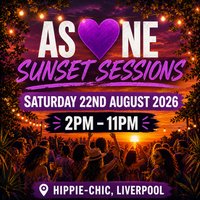
AS 💜NE returns to the terrace this summer for a daytime session built for music lovers, dancers, and the mature rave crowd who know exactly what the vibe should feel like. ☀️💜
Join us on Saturday 22nd August at Hippie-Chic Liverpool as we take over the terrace from day into night with a soundtrack of Afro, Deep & Soulful House, surrounded by good people, uplifting energy, and that signature AS 💜NE atmosphere.
Expect sunshine grooves, hands-in-the-air moments, soulful vocals, terrace cocktails, and a crowd that comes to dance, connect and lose themselves in the music.
DAYTIME ON THE TERRACE
2PM - 11PM
RESIDENT DJs
SOUTHI
GENOLXNDR
🎤 RESIDENT VOCALIST
LIZZIE D
🌟 GUEST DJs
AV (ACE SHYLLON & VIBRANT C)
LIL STEVIE
MARK LONGTON
🌙 AFTER PARTY
YELLOW SUBMARINE
11PM - 2AM
Music Policy: Afro, Deep & Soulful House
📍 Hippie-Chic Liverpool
70 Stanhope Street, Liverpool, L8 5XJ
AS 💜NE is more than a party. It's a family on the dancefloor. Respect, love, energy and music without ego.
Come alone, leave with a raving family.
By attending you agree to be filmed and/or photographed for publicity. If you have any issues with this please contact the management team.
Genres: African, Deep House, Funky House, Soulful House
Venue: Hippie Chic, Liverpool
Event listing provided by Skiddle.
