
_461938.png)
_89d3ab.png)
_78ef2e_1903c3.png)
_78ef2e.png)
21st Century Acid W/ Saytek (live), DJ Active, Flear, T-Break

Event created by ClubTheWorld
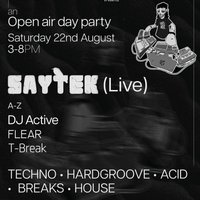
21st Century Acid presents an Open-Air Day Party at Purple Turtle, Reading ☀️🔊
Saturday 22nd August | 3–8PM
TECHNO • HARDGROOVE • ACID • BREAKS • HOUSE
SAYTEK (LIVE)
Saytek is recognised as one of the world’s top live electronic acts, performing fully live hardware sets with no DJing. Voted a FAZE Magazine Top 10 International Live Act for three consecutive years, he has earned global recognition for his unique improvised performances. He has played iconic venues and festivals including Space Ibiza, Tresor, Sisyphos, Fabric, FOLD, Awakenings and Rave The Planet, with releases on KMS Records, Soma, R&S and Awesome Soundwave.
DJ ACTIVE
Expect an energetic and groove-driven blend of underground club sounds built for the dancefloor. DJ Active has supported artists including Sherelle, Yung Singh and Loa Szala.
FLEAR
FLEAR delivers deep, immersive and tension-driven sets with a forward-thinking approach to underground club music. Expect hypnotic energy and genre-blending selections.
T-BREAK
Coming from the UK free party scene, T-Break brings a feel-good mix of house, breaks and disco grooves designed to keep the dancefloor moving.
Genres: Acid House, Breaks, House, Techno
Venue: Purple Turtle, Reading
Event listing provided by Skiddle.
