
_461938.png)
_89d3ab.png)
_78ef2e_1903c3.png)
_78ef2e.png)
Techmeout - Craigi Love 50th with Trevor Rockliffe

Event created by ClubTheWorld
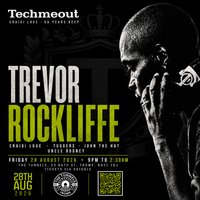
Techmeout presents Trevor Rockliffe | 50 Years Deep
This August, Techmeout celebrates a milestone as founder Craigi Love marks 50 Years Deep with a very special night of underground techno.
Headlining the celebration is UK techno pioneer Trevor Rockliffe, one of the country's most respected DJs. With decades behind the decks and appearances at legendary clubs and festivals across the world, Trevor's powerful, driving sound has influenced generations of techno fans and DJs alike.
Supporting Trevor are Techmeout residents Craigi Love, Tuggers, John The Hat and Uncle Rodney, delivering the stripped-back, authentic underground sound that has become synonymous with Techmeout.
Since 2017, Techmeout has built a reputation for bringing genuine underground electronic music to the South West, welcoming artists including Dave Angel, Colin Dale, Jerome Hill, Mark Archer, Nicky Blackmarket and many more, while staying true to the music and the community that inspired it.
This isn't just another birthday party. It's a celebration of five decades immersed in electronic music culture, from the warehouse era to today's dancefloors, shared with friends old and new.
If you believe techno is about the music, the people and the atmosphere, this is where you'll want to be.
Friday 28 August 2026
The Tunnels, Frome
9:00pm to 2:30am
No gimmicks. No distractions. Just proper underground techno.
Genres: Minimal Techno, Tech House, Techno
Venue: The Tunnels, Frome
Event listing provided by Skiddle.
