
_461938.png)
_89d3ab.png)
_78ef2e_1903c3.png)
_78ef2e.png)
The Social

Event created by ClubTheWorld
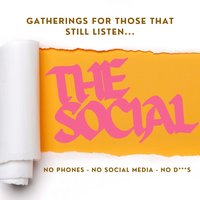
THE SOCIAL
Good music. Good people.
The Social is an intimate house music event built around one simple idea – bringing people together and helping local venues through a shared love of music.
Expect a carefully curated soundtrack of quality house music, techno and disco-inspired grooves, all played on a Funktion One sound system in a friendly, welcoming atmosphere.
Whether you’re coming with friends or arriving on your own, The Social is all about creating a space where everyone feels part of the night. No VIP areas, no egos and no gimmicks – just a packed dancefloor full of people there for the right reasons.
Following the success of our first two events, we’re back for a Bank Holiday Sunday special.
The evening starts at our official warm-up venue, The Plasterers Arms, where we’ll have DJs and bands playing before everyone heads over together to Hoylake Social. It’s the perfect way to meet up, have a few drinks and get the atmosphere building before the main event.
If you’ve been before, you’ll know exactly what to expect.
If this is your first Social, welcome – we think you’re going to love it.
Join us for another unforgettable night of great music, great people and an atmosphere that keeps people coming back.
The Social
Bank Holiday Sunday – 30th August - 7pm till 12am
Genres: Deep House, Disco House, House, Tech House, Techno
Venue: Hoylake Social Club, Hoylake
Event listing provided by Skiddle.
