
_461938.png)
_89d3ab.png)
_78ef2e_1903c3.png)
_78ef2e.png)
BLURRED: All night long #001 WAD

Event created by ClubTheWorld
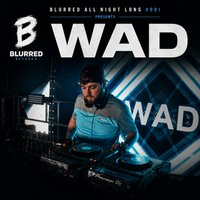
BLURRED ALL NIGHT LONG #001 PRESENTS: WAD
Liverpool-born DJ, producer and founder of Blurred Records, Wad has quickly become one of the city’s rising names in house music. After making waves across the underground scene, he’s gone on to support Alan Fitzpatrick and share line-ups with artists including Danny Howard, D.O.D, Richy Ahmed, Lovely Laura, LP Rhythm, Joss Dean and more.
With performances across the UK, a debut at Eden Ibiza, festival appearances, and the growth of Blurred Records into one of Liverpool’s most exciting underground brands, Wad has built a reputation for delivering high-energy sets packed with house, tech house and funky grooves.
Now, Blurred All Night Long #001 sees Wad take on his biggest challenge yet—his first-ever All Night Long set. Expect a journey through house, tech house and funky beats, exclusive edits, unreleased music and carefully selected records from start to finish.
From founding his own events brand to playing clubs and festivals across the UK and Ibiza, Wad continues to push his sound forward—and this is only the beginning.
Genres: Funky House, House, Old Skool, Tech House
Venue: Lost In Lark Lane, Liverpool
Event listing provided by Skiddle.
