
_461938.png)
_89d3ab.png)
_78ef2e_1903c3.png)
_78ef2e.png)
Studio30

Event created by ClubTheWorld
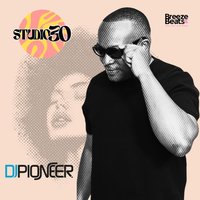
Breeze & Beats presents
STUDIO30
Nottingham's ultimate 30+ nightlife experience.
Step into a night designed for the grown and stylish crowd, bringing together the very best in 80s, 90s and 00s throwback sounds. Expect a soundtrack of R&B, Soul, Disco, House, Rare Groove and Funk - the music that defined the best years of your life.
This is not your average night out. STUDIO30 is for those who still love to dance, connect and enjoy real music in a premium atmosphere.
Taking over Liquid Library, Nottingham, on Saturday 5th September, we bring you a heavyweight lineup of DJs and hosts delivering nothing but energy from start to finish.
DJ's on the night:
Shootie
Simon "Schoolboy" Phillips (Birmingham)
Escobar
Val Pacino (London)
V Rocket
Damain Wells
Pioneer (London / Kiss FM)
Gam Rock
Hosts on the night:
Lady V (V Rocket)
Gemini (The Originals)
Mike L'V (London)
Everton Hornsman
Expect:
R&B classics
Disco anthems
Soulful house
Rare groove & funk
A packed dancefloor of like-minded people
Event Details:
📍 Liquid Library, 17 Goldsmith Street, Nottingham
📅 Saturday 5th September
⏰ Doors open 9PM - 4AM
🔞 Strictly 30+
Dress to impress. Good vibes only.
Tickets available now on Skiddle.
Genres: 1980s, 1990s, Disco, R&B, Soul
Venue: LIQUID LIBRARY, Nottingham
More from DJ Pioneer:
- DJ Pioneer's VIP Gala — 19 Jul 2026
- KISSTORY On Blackheath 2026 — 25 Jul 2026
- KISSTORY On Blackheath 2026 — 25 Jul 2026
- W&E & Lovebugs, Huddersfield: Premium vibes. Iconic DJs. — 25 Jul 2026
Event listing provided by Skiddle.
