
_461938.png)
_89d3ab.png)
_78ef2e_1903c3.png)
_78ef2e.png)
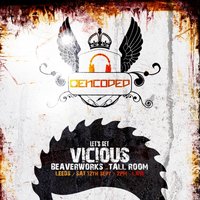
Encoded & Hi Oktane - Let's Get Vicious + Official After Party

Event created by ClubTheWorld
Event Information
Encoded & Hi Oktane – Let's Get Vicious
Three iconic brands come together for one night of filthy, no-holds-barred Hard House—a collaboration that's been talked about for years and now finally becomes reality.
This isn't just another club night. This is a full-scale Hard House takeover built for the true faithful.
We're taking over the brand new Tall Room at Beaver Works, transforming it with full production from floor to ceiling. Expect cutting-edge laser shows, immersive visuals, powerful sound and an atmosphere designed to keep the dancefloor moving all day and night.
Main Event Line-up
Mark Kavanagh
Dynamic Intervention
Adam M (Live)
Ben Stevens
JP & Jukesy
Wayne Smart
Agent B2B Tenchy
JOJO
Official After Party
The party carries on with an equally strong lineup, taking you through until the early hours.
After Party Line-up
Andy Farley
Frank Farrell
Ben Stevens
Adam M
Wayne Smart B2B JOJO
This is more than just another event—it's a celebration of everything that makes Hard House special. Big DJs, massive production, an incredible atmosphere and a crowd that lives for the music.
Encoded & Hi Oktane
Let's Get Vicious.
DJs / Artists: Andy Farley, Ben Stevens, Wayne Smart, Dynamic Intervention, Agent Jack
Genres: Hard Dance, Hard House, Tech House
Venue: Beaverwork, Leeds
More from Andy Farley:
- Frantic x Lashed — 18 Jul 2026
- Hard dance reloaded — 25 Jul 2026
- Timescape Festival 2026 — 7 Aug 2026
- Weekend in the Woods — 28 Aug 2026
Event listing provided by Skiddle.
