
_461938.png)
_89d3ab.png)
_78ef2e_1903c3.png)
_78ef2e.png)
Oldskoolanthems (OSA)
Event created by ClubTheWorld
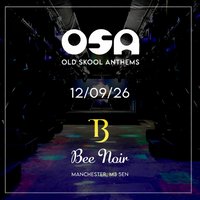
The next installment of our Oldskoolanthems (OSA) live events.
For this one, by popular demand we are back in Manchester !
True Story - No Messing!
Not only do we bring our regular OSA residents, we also welcome back the super talented 'Top Cat' Moggy who will be spinning some of the most underground tunes to take you back to the 90's in style, and Bob Flan takes to the stage for the first time in his OSA underpants
If you've been with us before you know what to expect - If you haven't you really need to have a word with yourself ! . . . OSA has been rocking the airwaves and clubs since oldskool wasn't oldskool, which is like forever ago so we know what we're talking about.
We're back in Manchester at the super duper Bee Noir, which if you know your onions, you know this is a tippety toppity venue getting some excellent reviews. We can't wait.
Tickets are limited and on a first come, first served basis so get your tickets in the bag asap. We look forward to accomodating our regulars & welcome new friends alike.
Can't wait ? come and join us at www.oldskoolanthems.com
See you on the dance floor \o/ \0/ \o/
DJs / Artists: Butty & Recca, Dj canó
Genres: 1990s, Electronic, House, Old Skool, Techno
Venue: Bee Noir, Manchester
More from Butty & Recca:
- More Cake - 90's Old Skool & Club Classics — 1 Aug 2026
- Back By Dope Demand Festival — 8 Aug 2026
Event listing provided by Skiddle.
