
_461938.png)
_89d3ab.png)
_78ef2e_1903c3.png)
_78ef2e.png)
Discobility Fancy Dress

Event created by ClubTheWorld
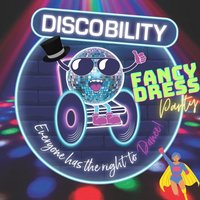
Discobility is a regular event, in conjunction with Havin It, for adults with learning disabilities/additional needs and their carer/parent/family members to make friends, broaden their social circle and dance! We are offering a safe space with plenty of parking, accessible toilet (no hoist) and great tunes.
So join us and show off your best dance moves to all of your favourite tunes, played by fabulous DJ's.
*Please note that this event has loud music, flashing lights and smoke machines.
Maximum of one free companion ticket, per full price ticket allowed.
www.discobility.org.uk
www.towertheatrefolkestone.co.uk
---------------------------------------------------------------------------------------------
NOTICE OF FILMING AND PHOTOGRAPHY
Please note that photography, filming, and/or audio recording will be taking place at this event.
How your image may be used:
Images and recordings may be used for marketing, promotional purposes, news, or commercial purposes, including on our website, social media channels, and in printed publicity material.
DJs / Artists: Dante Payne
Genres: Club Classics, Disco, Disco House, Funky House
Venue: The Tower Theatre Folkestone, Folkestone
Event listing provided by Skiddle.
