
_461938.png)
_89d3ab.png)
_78ef2e_1903c3.png)
_78ef2e.png)
Event created by ClubTheWorld
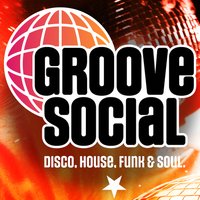
GROOVE SOCIAL
Is a brand-new vibe landing in the city, bringing together the absolute best in Disco, Nu-Disco, House, funk and Soul, it is all about connection, incredible energy and unforgettable soundtracks.
For the very first time we are bridging the gap between nostalgia and the future of the dancefloor, featuring the DJs you've loved over the years alongside a handpicked selection of fresh exciting talent!
📍 The Venue: Bridgend Social
We've found the perfect home for this journey, nestled right on the picturesque banks of the River Aire, Bridgend Social offers a stunning backdrop where the music meets the water.
From the moment you walk through the door, you'll feel the difference: A Next-Level Welcome: Unrivalled Vibes: A warm, inclusive atmosphere designed to make your night truly memorable.
The Comeback Factor: Exceptional service and a top-tier crowd that will leave you counting down the days until the next one.
✨ Join the Movement
This isn't just another club night; it's a family community for music lovers.
🎧 The Lineup
DAVE NEWSOME - Fibre, Warehouse, Space
MIKE SPEED - Rejuvenation, JOY, Quench, LDC Radio
JAMES WOMERSLEY - Hed Kandi, Love 2 Be
JAMIE DORRINGTON - LDC Radio, The End, D2EP Radio
Launch Date:
Friday, 18th September 2026
Time: 7:00 PM - 1:00 AM
Lets Go Dancing 💃
Genres: Disco House, Funky House, House, Nu Disco, Soulful House
Venue: Bridge End Social, Leeds
Event listing provided by Skiddle.
