
_461938.png)
_89d3ab.png)
_78ef2e_1903c3.png)
_78ef2e.png)
Plush 20 - Anniversary Celebrations Part 2

Event created by ClubTheWorld
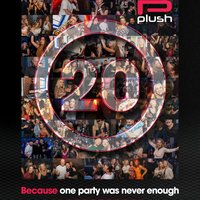
Plush 20 — Anniversary Celebrations Part 2
Because One Party Was Never Enough
Following the incredible response to our 20th Anniversary celebration earlier this year, we just want to say thank you to everybody who came and made it what it was. The atmosphere, the energy and the love in the room reminded us exactly why Plush has meant so much to so many people over the last 20 years.
What was meant to be one special anniversary event quickly became something much bigger. Seeing old faces, new faces and everyone together again brought back a feeling we honestly couldn’t ignore. We found our buzz again — and we knew we couldn’t just leave it there.
So on Saturday 19th September, Plush returns to Joshua Brooks for Anniversary Celebrations Part 2 — a daytime session powered by our signature Plush sound and pure Manchester day-rave atmosphere. Expect hands-in-the-air moments, big energy and the kind of feeling that only Plush can create.
From the bar to the basement, we go again.
Plush 20 — Anniversary Celebrations Part 2
Because One Party Was Never Enough
Genres: Disco House, Funky House, House
Venue: Joshua Brooks, Manchester
More from Adam Guy:
- Timeless Old Skool Brunch — 30 Aug 2026
Event listing provided by Skiddle.
