
_461938.png)
_89d3ab.png)
_78ef2e_1903c3.png)
_78ef2e.png)
Moksha & Formations Presents: Initium

Event created by ClubTheWorld
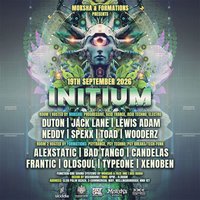
Moksha & Formations Presents: Initium
For all the Psytrance & Progressive fans.
Come and join us for a night of Psychedelic exploration.
..................................................
Room 1: Hosted by Moksha & Faze One
.: Funktion-One Resolution System :.
Progressive, Acid Trance, Acid Techno, Electro
. Duton - Progressive
. Jack Lane - Progressive
. Lewis Adam - Acid Trance
. Neddy - Progressive
. Spexx - Progressive
. Toad - Acid Techno (Croak-Tek)
. Wooderz - Electro
..................................................
Room 2: Hosted by Formations
.: Funktion-One Evolution System :.
Psytrance, Psy Techno, Psy Breaks/Tech-Funk
. Alexstatic - Psytrance (Protoned Music)
. Bad Tango - Psy Breaks (Broken Robot)
. Candelas - Psytrance (Kingdom)
. Frantic - Psy Techno
. Oldsoul - Psytrance
. TypeOne - Psytrance (Protoned Music)
. Xenoben - Psytrance (Futurephonic)
..................................................
Full Psychedelic environment provided by: DecorOhm
Funktion-One Sound Systems Provided by SRS Audio, Faze One and Moksha
..................................................
18+ Event NO ID NO ENTRY
Last Entry 12:00AM
DJs / Artists: Bad Tango
Genres: Breaks, Electro House, Psy/GoaTrance, Techno, Trance
Venue: Club Palm Beach, Wellingborough
Event listing provided by Skiddle.
