
_461938.png)
_89d3ab.png)
_78ef2e_1903c3.png)
_78ef2e.png)
Club Sweetness - The Winter Warmer

Event created by ClubTheWorld
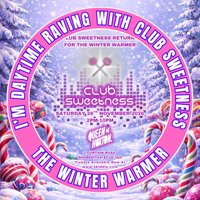
🍬❄️ CLUB SWEETNESS – WINTER WARMER 2026 ❄️🍬
Club Sweetness returns for our annual Winter Warmer, bringing the sweetest daytime party back to The Queen of Hoxton for another candy-coated session of pure house music energy.
After last year’s roadblock event, we’re back with 3 rooms of the sweetest house music, feel-good vibes, and the signature Club Sweetness atmosphere from start to finish. Expect a packed dancefloor, big grooves, and a crowd that knows exactly how to bring the energy.
We’ll be announcing two huge headliners very soon, alongside all your favourite Club Sweetness resident DJs across the rooms.
This is our winter edition — expect candy visuals, warm winter vibes, and a full daytime party soundtrack designed to keep you moving from start to finish.
DJs / Artists: Jay Stammers, DJ Paul Woolf, Nathan Jay
Genres: Club Classics, Funky House, House, Tech House
Venue: Queen Of Hoxton, London
Event listing provided by Skiddle.
