
_461938.png)
_89d3ab.png)
_78ef2e_1903c3.png)
_78ef2e.png)
PaSSion & Craig Connelly Present Experience

Event created by ClubTheWorld
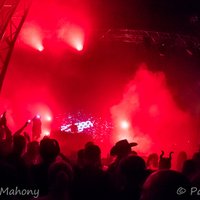
Introducing a brand-new concept, EXPERIENCE, which debuts at Passion on 7th November 2026.
This is a 3-hour set featuring 3 different eras of Craig's musical journey, performed across 3 different formats.
It will be the most encompassing Craig Connelly show to date, and the most involved live event he's ever worked on.
Hour 1 takes you back to the decade where his career began, as he plays the best music from his formative years as a DJ.
Hour 2 is all about his productions, performed live and reworked from his COLLIDER LIVE setup. A one-of-a-kind performance that will never be replicated.
And the final hour is filled with vinyl classics from his 25-year-old record collection, which he started before he could even mix two tunes together. Purely indulgent Trance classics that are easy on the ear and good for the soul.
Passion presents Craig Connelly EXPERIENCE.
Craig Connelly (3-hour set)
With Support from Special Guest...
The Thrillseekers (Vinyl set)
Plus, vinyl sets from, residents...
JFK / Marc West / TT
NOV 7TH 2026 | 7PM - 3AM | 02 ACADEMY LEICESTER
The Music. The People. The Passion.
DJs / Artists: The Thrillseekers, Craig Connelly, JFK
Genres: Club Classics, Trance
Venue: O2 Academy, Leicester
More from The Thrillseekers:
- Timescape Festival 2026 — 7 Aug 2026
- Genesis "ILLUMINA" The Thrillseekers, Indecent Noise, K90 + — 22 Aug 2026
- Motion - Factor B The Thrillseekers Maria Healy Dark Fusion — 12 Sep 2026
- Rong Indoor Festival 2026 — 3 Oct 2026
Event listing provided by Skiddle.
