
_461938.png)
_89d3ab.png)
_78ef2e_1903c3.png)
_78ef2e.png)
Day Release

Event created by ClubTheWorld
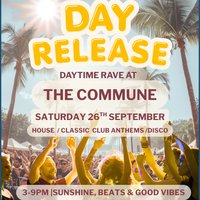
Welcome to Day Release.
A daytime party for people who still love a packed dance floor, great music and good company but could happily leave the 3am finishes in the past.
Day Release is all about enjoying the best parts of a night out without sacrificing the next day. We kick things off in the afternoon, keep the energy high, and finish at a sensible time, so you can dance your heart out and still wake up feeling human.
Expect an intimate atmosphere, a welcoming crowd, and a soundtrack packed with house, disco and feel-good club classics. It's the kind of music that brings back memories, creates new ones, and keeps the dance floor moving from start to finish.
Forget overcrowded clubs and endless queues. This is a place to catch up with friends, meet like-minded people, and lose yourself in the music. No attitudes, no pressure, just a friendly crowd, quality tunes and an atmosphere that makes everyone feel at home.
Whether you're reliving the soundtrack of your clubbing days or simply looking for a fresh way to spend a Saturday, Day Release is your chance to switch off, dance freely and reconnect with what made you fall in love with music in the first place.
Join us at Commune.
Great music. Great people. Daytime done right.
Genres: Disco, Disco House, House, Nu Disco
Venue: Commune Liverpool, Liverpool
Event listing provided by Skiddle.
