
_461938.png)
_89d3ab.png)
_78ef2e_1903c3.png)
_78ef2e.png)

Event created by ClubTheWorld
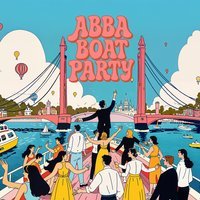
🚢💃AHOY Dancing Queens!💃🚢
💫Gimme Gimme Gimme The ABBA Boat Party💫
You heard us right! We are setting sail on the River Thames, London on a glittery disco cruise! And YOU are invited! What better way is there to appreciate ABBA? ✨
We guarantee you ABBA bangers and the very best of 70/80'S hits on our decked-out disco boat (with a bar of course!) and the best boat ride of your life! Take in the spectacular views London has on offer such as the London Eye & The houses of Parliament with a drink in hand and your best friends by your side as we boogie away into the night.
We have a limited capacity so tickets will fly out, grab yours now to avoid missing out on the most epic ABBA experience. 😍
It's time to pull out your flares and maybe that cheeky sailor hat you've got stashed in your wardrobe! We'll see you there! 🎉
Doors Open: 6:45pm
Boat Departs: 7:15PM
Last Entry: 7:00pm
🤩𝐒𝐓𝐀𝐅𝐅 𝐏𝐀𝐑𝐓𝐘, 𝐁𝐈𝐑𝐓𝐇𝐃𝐀𝐘, 𝐒𝐎𝐂𝐈𝐀𝐋? 🤩
Be sure to drop us an email for great deals on group entry to help make your night that touch more magical! - info@discowonderland.club
🪪 Please note all ABBA Boat Parties are 18+ only. You will require a valid form of photo ID upon entry as Challenge 25 Policy will be in place. 🪪
Genres: Disco, Pop
Venue: THE DUTCH MASTER BOAT, London
Event listing provided by Skiddle.
