
_461938.png)
_89d3ab.png)
_78ef2e_1903c3.png)
_78ef2e.png)
Trancecoda & Louder Present: Paul van Dyk

Event created by ClubTheWorld
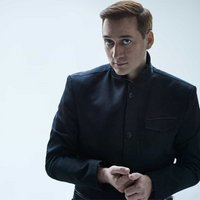
Trancecoda & Louder proudly welcomes trance legend Paul van Dyk back to Plymouth for a very special night at The Depo.
A true pioneer of electronic music, Paul van Dyk has spent decades at the forefront of the global trance scene, delivering unforgettable performances at the world's biggest festivals and clubs. With a catalogue of timeless productions and an energy behind the decks that remains unmatched, his return to Plymouth promises to be one of the standout trance events of the year.
Joining him is one of the most exciting names in modern uplifting trance, Ciaran McAuley. Renowned for his emotionally charged productions and powerful live sets, Ciaran continues to captivate audiences around the world with his distinctive sound and infectious passion for the genre.
Completing the lineup is Trancecoda's own Dark Fusion, whose expertly crafted sets and deep connection with the Trancecoda crowd make him the perfect artist to set the tone for an unforgettable evening.
Finishing the night off in style will be Plymouth DJ Simon McCann.
Four exceptional artists. One incredible venue. A night dedicated to the very best in trance music.
• Paul van Dyk
• Ciaran McAuley
• Dark Fusion
• Simon McCann
The Depo, Plymouth
Prepare for a journey through uplifting melodies, driving rhythms, and euphoric moments as Dark Fusion delivers another unforgettable chapter in Plymouth's trance history.
Genres: Trance
Venue: THE DEPO, Plymouth
More from Paul van Dyk:
- Nature One Festival — 30 Jul 2026
- Trancecoda & Louder Present Paul van Dyk, Plymouth — 18 Sep 2026
- Trancecoda & Groovebox pres. Shine Open Air with Paul van Dyk — 19 Sep 2026
- PAUL VAN DYK Open Air | Trancecoda X Groovebox X Shine at Binks — 19 Sep 2026
Event listing provided by Skiddle.
