
_461938.png)
_89d3ab.png)
_78ef2e_1903c3.png)
_78ef2e.png)
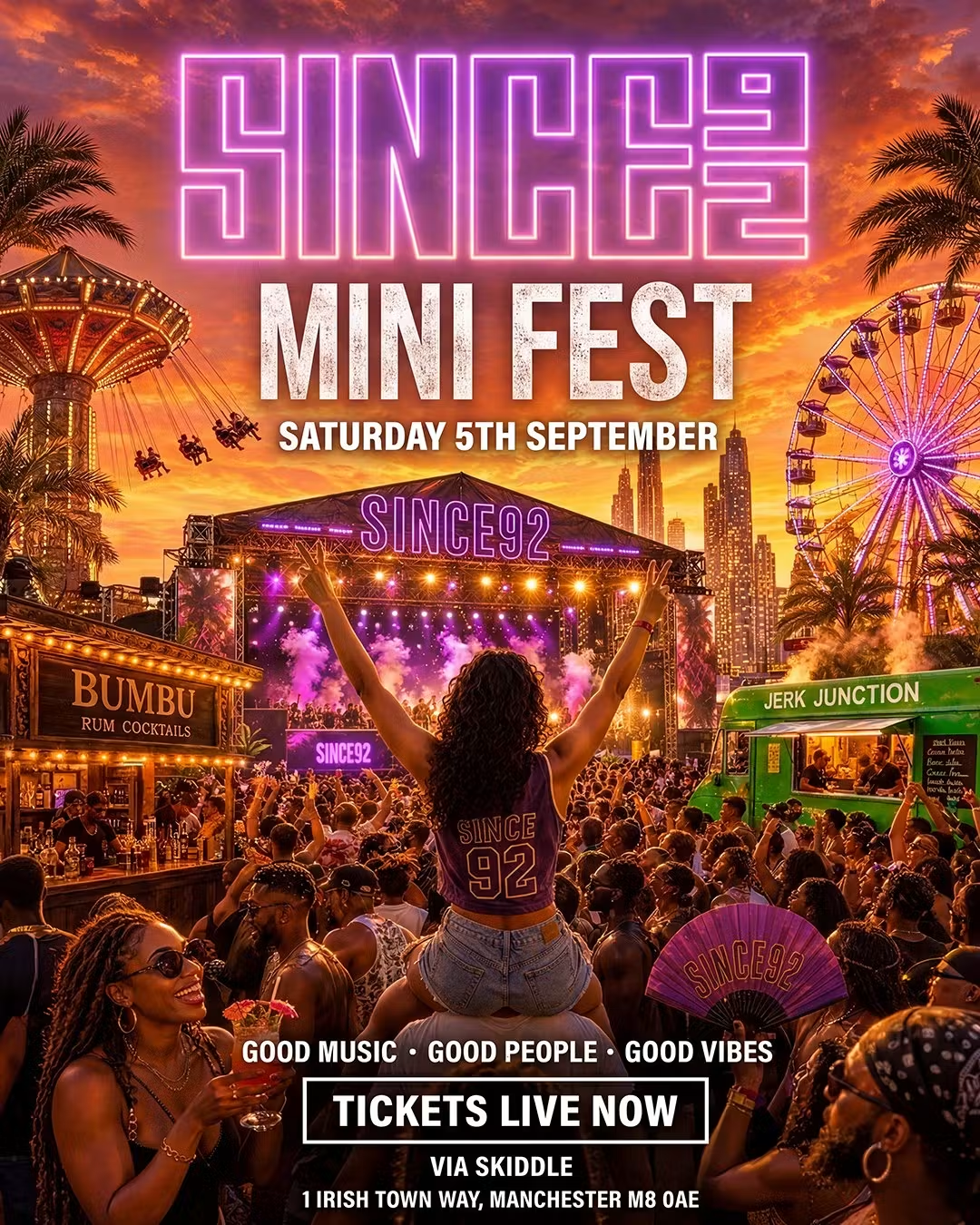
Since92 - Mini Fest Summer Closing

Event created by ClubTheWorld
SUMMER CLOSING MINI FEST ☀️
Manchester's favourite end-of-summer day party is back
After a completely sold out Mini Fest, Since92 returns for one final outdoor celebration before the season ends. Expect bigger production, bigger energy and the same unbeatable atmosphere that brought hundreds of people together last time
From 3PM–10PM, we'll be taking over the Irish Heritage Centre with the perfect soundtrack to close out the summer
Expect:
🎵 R&B, Hip-Hop, Afrobeats, Dancehall, Afrohouse & Funky House
🎡 Fairground rides
🍹 Outdoor bars & cocktails
🌮 Jerk Junction
📸 Incredible content opportunities
☀️ Sunshine, good people and unmatched energy
Since92 has built a reputation for bringing together an amazing crowd, quality music and unforgettable experiences. Whether you're coming with friends or meeting new people, this is the place to end your summer.
Last event: SOLD OUT.
Date: Saturday 5th September 2026
Time: 3:00PM – 10:00PM
Venue: Irish Heritage Centre, Manchester
Important Information
21+ (Valid ID Required)
Fresh fits encouraged
Last entry applies
Limited tickets available
One last dance before summer's over
Genres: Afrobeat, Dancehall, Hip Hop, House, R&B
Venue: The Irish Heritage Centre Manchester, Manchester
Event listing provided by Skiddle.
