
_461938.png)
_89d3ab.png)
_78ef2e_1903c3.png)
_78ef2e.png)

Event created by ClubTheWorld
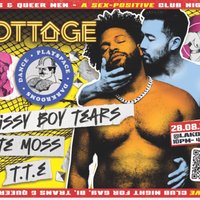
Cottage Club returns on Friday 28 August at Moon Club Lakota Bristol.
A night built around cruising culture, connection, music and after-dark exploration. Expect a full play party setup, darkroom and a dance floor soundtrack courtesy of some of the South West’s finest selectors.
LINE UP:
T.T.E
SISSY BOY TEARS
HATE MOSS
Whether you’re a seasoned cruiser or simply drawn to the energy, freedom and aesthetics of queer nightlife, Cottage Club is a space for gay men and anyone who aligns with cruising culture. No pretence. No awkward icebreakers. Just good music, good company and plenty of opportunity for the night to unfold however it may.
Our dress code has recently been updated and relaxed. We still ask everyone to make an effort and help keep the space intentional, so please check the latest guidance before purchasing your ticket.
Tickets are expected to move quickly.
Important information:
• No membership is required to attend Cottage Club.
• Please check the dress code before purchasing your ticket.
• Tickets are non-refundable if purchased in error or if you can no longer attend.
• For accessibility enquiries, please contact info@cottageclubbristol.com
Genres: EDM
Venue: Lakota, Bristol
Event listing provided by Skiddle.
