
_461938.png)
_89d3ab.png)
_78ef2e_1903c3.png)
_78ef2e.png)

Event created by ClubTheWorld
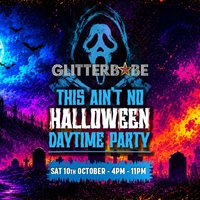
Glitter Babe presents: This Ain't No Halloween Party!
We're back Beat the October madness and join us for the ultimate daytime clubbing experience at the stunning Club Den(located in the historic mill in Bury). We are tearing up the rulebook and throwing our Halloween party early on Saturday 10th October to bypass the standard holiday rush and deliver a pure, unadulterated vibe. Dressing up is optional
Expect house music and nu disco our signature sound except no substitute we are the kings n queens of beautiful happy music people ...
This daytime party kicks off at 4:00 PM and runs straight through until 11:00 PM. Expect a spectacular production featuring high-energy dancers alongside the absolute finest crowd in the region-the glitterati.
The line-up
Jason Herd: Headlining the event is our special guest, a phenomenal producer /dj from Herd & Fitz and a long-time close friend.Nev Johnson: Bringing signature beats as one of our trusted resident DJs.Mark White: Keeping the dancefloor moving with incredible resident sets.Rams Boogie: Delivering heavy grooves as part of the core Glitter Babe crew.Matt Riggs: Introducing a fresh, exceptionally talented new DJ who is absolutely excellent on the decks.
Genres: House, Nu Disco
Venue: Clubden, Bury , Lancs
Event listing provided by Skiddle.
