
_461938.png)
_89d3ab.png)
_78ef2e_1903c3.png)
_78ef2e.png)
Grief Disco Liverpool

Event created by ClubTheWorld
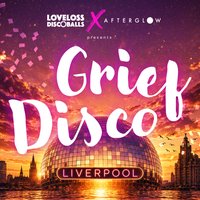
🪩 GRIEF DISCO IS COMING TO LIVERPOOL 🪩
A space to come together and honour grief through house music, movement, joy, love, loss and everything in between.
Grief and joy aren't always opposites - they can live together on a dancefloor. Sometimes all you need is the permission to be on it too.
Grief Disco is four hours of house music, movement and connection for anyone who's lost someone - with no script for how you're supposed to feel.
There's no expectation to feel a certain way, and nothing you need to explain. Come to dance, come to cry, come to stand at the back and simply be. It's all welcome.
Grief Disco is brought to you by Afterglow and LoveLossDiscoballs - both built on the belief that love and loss can hold joy, too.
100% of profits from ticket sales for our Grief Disco Liverpool event will be donated to Campaign Against Living Miserably (CALM) via Work for Good
What to expect:
This is a sober event - no alcohol will be served. We know grief and alcohol don't always mix well, so we've chosen to keep the focus on music, movement and connection.
Dance if you want to, sit it out if you don't. Come as you are. This is a room full of people who get it, moving together.
On the decks:
Wozza P, T Sounds and Andy Mac - uplifting house music from 4-8pm.
Genres: Disco, Disco House, Funky House, House, Soulful House
Venue: Tempest On Tithebarn, Liverpool
Event listing provided by Skiddle.
