
_461938.png)
_89d3ab.png)
_78ef2e_1903c3.png)
_78ef2e.png)

Event created by ClubTheWorld
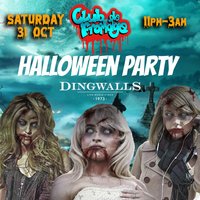
Club de Fromage is returning this October to bring you another one of our legendary gruesome Halloween parties!
We're bringing the blood and gore to Camden Town and the iconic Dingwalls venue as London's favourite pop and fancy goes all 'killer' and no filler with the spookiest club in town.
Dress is your most horrid costumes and join Slow Alfie and his zombie pound shop performers for a night of petrifying pop
You can expect:
- Massive pop anthems
- The infamous Fromage stage show and characters
- Huge sing-alongs
- A stage packed with Halloween props
- Spooky visuals
- Scary dance-offs
Club de Fromage has appeared at Glastonbury, Standon Calling, Reading, Isle of Wight and loads of other festivals over the past 19 years, as well as hosting two epic NYE parties at the legendary Hammersmith Apollo.
"The euphoric high energy London institution. Come for wall-to-wall throwback bangers from the likes of Britney & Bon Jovi" Time Out
"One of the least pretentious and most entertaining nights in the capital" Evening Standard
"Get your dancing shoes on and prepare for the time of your life at London's top pop and fancy dress night" Metro
Genres: Disco, Pop
Venue: Dingwalls, London
Event listing provided by Skiddle.
