
_461938.png)
_89d3ab.png)
_78ef2e_1903c3.png)
_78ef2e.png)
Spanglish Summer party Koh Chang revisited

Event created by ClubTheWorld
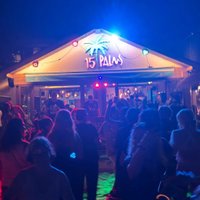
Spanglish Summer Party - Koh Chang Revisited
Over the years, some of the most special Spanglish moments have happened on the island of Koh Chang in Thailand - where sunsets, music and friendship come together in a way that's hard to describe but impossible to forget.
This August we bring that atmosphere back to London.
Expect the same Balearic spirit that defines those island nights: uplifting house, Balearic classics, disco edits and timeless dancefloor moments, moving from warm sunset energy into deeper late-night grooves.
Spanglish has always been about more than just a party. It's about the people on the dancefloor - old friends reconnecting, new friendships forming, and a crowd that understands the magic of music shared together.
If you've experienced Koh Chang with us, you'll know the feeling.
If you haven't yet... this is your chance.
Support for Spencer
As many of you know, a member of our extended Spanglish family, Spencer, was recently the victim of a serious attack while travelling. To help support his recovery and medical costs, £2 from every ticket sold will go directly towards helping him.
Thank you for being part of a community that looks after its own.
One dancefloor. One family. One unforgettable night.
Welcome back to Spanglish.
Genres: Disco House, House, Retro House
Venue: The Woodman Carshalton, Carshalton
Event listing provided by Skiddle.
