
_461938.png)
_89d3ab.png)
_78ef2e_1903c3.png)
_78ef2e.png)
TRAX Radio UK Presents Family Rave (Saturday 29th August 2026)

Event created by ClubTheWorld
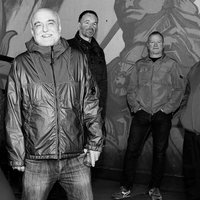
TRAX Radio UK join together with the Urban Arts Centre in Stoke-on-Trent to proudly present their first FAMILY RAVE DAY EVENT in Longton
This event runs from 1pm until 10pm
ALL Children under the age of 12 accompanied by an adult get 1 FREE ticket
ALL Children aged between 12 to 17 years of age accompanied by an adult - tickets cost ONLY £5 each
ALL Adults - tickets cost £10 each
DJ's - Shelleys and Entropy legend Daz Willott (Stoke's original homeboy) is joined by fellow legend Mark "Daba" Davis who was resident at both Entropy and Golden and Kinetic
Also DJ'ing is local DJ Lee Buxton from TMO - who has produced several great tunes over the years
There will also be support from 4 TRAX Radio DJ's - namely Paddy, Scotty C, Leady & Tim Bee
DJ Lomo from the Urban Arts Centre completes the DJ line-up
There will be several entertainment sources at the event for the children to enjoy during the day. Which will include face painting, playing with clay & Craft kids eat free. More children's entertainment TBC
We can't wait to welcome you and your Family to this first fabulous Family Rave event over the August Bank Holiday weekend in Longton, Stoke-on-Trent's spiritual home of House music
DJs / Artists: Daz Willott, Lee Buxton, Mark Daba Davis
Genres: Club Classics, Disco House, House, Old Skool, Techno
Venue: U7 ARTS AND CULTURAL CENTRE, Stoke-on-Trent
More from Daz Willott:
- 35 Years Of Rave — 12 Sep 2026
- Shelleys Laserdome 2026 — 14 Nov 2026
Event listing provided by Skiddle.
