
_461938.png)
_89d3ab.png)
_78ef2e_1903c3.png)
_78ef2e.png)

Event created by ClubTheWorld
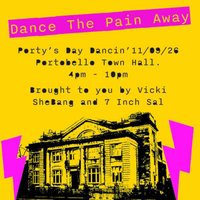
Dance The Pain Away: Day Dancin' at Portobello Town Hall
You asked for it, and we brought it.
A much-needed daytime dance party in the heart of Portobello, taking over its flagship venue: Portobello Town Hall.
Think of this as therapy for the soul as you join others to Dance The Pain Away to well known bangers, electro clash, synth, techno, quality disco, pop, house and much much more.
If you can dance to it, we'll play it.
This is Day Dancin' with minimal cheese, No gimmicks, just pure dancefloor magic. Step away from the daily grind and dance with intention. Give your mind, body and soul a chance to reconnect with the simple joy of movement in a world that's constantly trying to cramp your style.
Brought to you by Vicki She-Bang and Seven Inch Sal two DJs who have been around long enough to know how to stoke a dance floor and bring a party.
Early Birds £15
General £18
Group options available
Mind blowing visuals brought to you by Warpro
Bar brought to you by locally run CanArchy
Through the power of dance we'll show the B******s they can't get us down.
Genres: Disco, Electro, House, Synth Pop, Techno
Venue: Portobello Town Hall, Edinburgh
Event listing provided by Skiddle.
