
_461938.png)
_89d3ab.png)
_78ef2e_1903c3.png)
_78ef2e.png)
Mid Life Krisis ~ DIVERSIFY 2026 (Saturday 26th September 2026)

Event created by ClubTheWorld
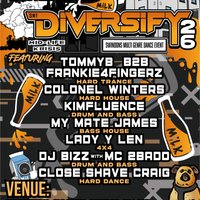
Mid Life Krisis ~ DIVERSIFY 2026
SWINDON we are back and we are back with a bang. Your Multi genre sound system collective are making our way home and heading to The Victoria for our September event and we cant wait to see you 🔊
Its been a long 9 months since we last rattled the windows amd made the optics shudder and we have some new speakers to test the fixings 😁 and an absolutely top draw DJ line up to keep you on the dancefloor from start to finish 🎧🎧🎧
DjS ⬇️🎧⬇️🎧⬇️
🎧 TommyB b2b Frankie4fingerz ~ Hard Trance
🎧 Kimfluence ~ Drum and Bass
🎧 Colonel Winters ~ Hard House
🎧 Close Shave Craig ~ Hard Dance
🎧 Lady Y Len ~ 4x4
🎧 Dj Bizz ~ Drum and Bass
🎧 My mate James ~ Bass House
🔊🔊 Full sound system install by Mid Life Krisis alongside Lights, Lazers and decor ~ we transform the Vic into a mini rave cave for the event🙏🏼🙏🏼
Tickets available via skiddle for a fiver (+booking fee) or pay us on the door on the night (cash preferable) for a tenner.
📌 OVER 18S
📌 R.O.A.R
📌 BRING ID
Its time for a Mid Life Krisis and we are ready to roll 🔊🔊
Genres: Bass Music, Breaks, Drum and Bass, Hard Dance, Hard House
Venue: The Victoria, Swindon
Event listing provided by Skiddle.
