
_461938.png)
_89d3ab.png)
_78ef2e_1903c3.png)
_78ef2e.png)
FREE TICKETS & FREE DRINKS - Latin House, Tribal, Funk - MALOKA (Friday 14th August 2026)

Event created by ClubTheWorld
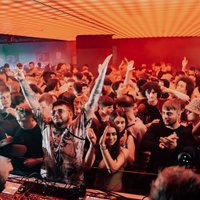
MALOKACLUB - LAUNCHNIGHT
Every Friday | 11PM- 6AM | EGG London, King's Cross
A brand-newFriday night arrivesat EGG London.
Expect sound for every dancefloor, blendingR&B, Reggaeton, Afrobeats, Afro House, Latin House, Tribal, Funk, Pop andmore. Feel-good singalongs & high-energy rhythms, MALOKA brings togetherthesounds shaping London'snightlife under oneroof.
With multiple rooms, an outdoor garden, late-night streetfood and oneofLondon's most iconicclub spaces, thisis where yourweekendstarts.
London's newest Fridaynight startshere.
VIP Tables
Premium VIP - £300
VIP table
1 premium spirit bottle with mixers
1 bottle of Prosecco
On Stage VIP- £350
Exclusive on-stage VIP table (up to 5 guests)
1 spirit bottle with mixers
1 bottle of Prosecco
Queue jump
Cloakroom included
A 50% deposit isrequired to secureall VIP bookings. The remaining balanceis payable onarrival.
VIP enquiries:eoin.bloor@outlook.com
Event Info
Every Friday
11PM - 6AM(Last Entry 3AM)
18+(Valid physical photo ID required)
Smart, stylish dressencouraged
Limited free entrytickets available before11:30PM
Genres: Funk, House, Latin, Tribal House
Venue: Egg London, London
Event listing provided by Skiddle.
