
_461938.png)
_89d3ab.png)
_78ef2e_1903c3.png)
_78ef2e.png)
Side Quest Festival (Saturday 26th September 2026)

Event created by ClubTheWorld
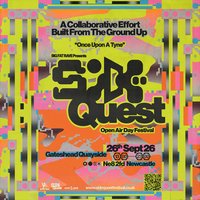
Big Fat Rave Presents Side Quest Festival
The time has come to enter the unknown.
Welcome to Side Quest Festival; a brand-new collaborative festival by Big Fat Rave, built from the ground up by hundreds of local creatives, collectives and crews. This immersive, multi-genre experience celebrates music, sound system culture, creativity, community and connection,
Taking over an old shipping container park beneath the iconic Tyne Bridge in Newcastle, United Kingdom along the banks of the river Tyne. Side Quest is a celebration of music, sound system culture, creativity, community and connection.
Explore 6 stages and 24 hidden areas, each packed with immersive side quests, unexpected discoveries and unforgettable moments.
Expect:
• DJs & Sound Systems
• Live Acts
• Talks & Spoken Word
• Special Performances
• Actors & Dancers
• Food Trucks
• Clothes Swaps
• Independent Merch & stalls
• Interactive Experiences
• Plenty of surprises...
Forget rushing from stage to stage. This is a festival built for wandering, exploring and saying yes to the unexpected. Every corner hides something new, and every detour has the potential to become the memory you talk about for years to come.
Because the best adventures are always the side quests.
Sign up now for Pre-Sale access.
Pre-Sale: Monday 3rd August • 2:00pm
General Sale: Monday 3rd August • 5:00pm
Genres: Drum and Bass, Electronic, House, Jungle, Spoken Word
Venue: Gateshead Quayside, Gateshead
Event listing provided by Skiddle.
