
_461938.png)
_89d3ab.png)
_78ef2e_1903c3.png)
_78ef2e.png)
Laidback Luke (Friday 13th November 2026)

Event created by ClubTheWorld
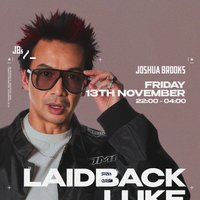
Laidback Luke returns to Manchester for a rare daytime session in the Joshua Brooks basement, delivering an extended set as part of his CODE/RED tour.
With a career spanning over three decades, Luke has remained a constant presence in global house music, bridging early Dutch and bloghouse sounds with modern club culture. His influence stretches across generations, with long-standing ties to artists such as Avicii and Afrojack, and a catalogue that continues to evolve rather than settle.
Recent releases mark a clear shift back toward tougher, club-focused material. His CODE/RED EP, released following a new chapter with Steve Aoki's Dim Mak, reflects a renewed focus on raw energy and stripped-back production, drawing heavily on the sound that shaped his early reputation.
This session takes place in the Joshua Brooks basement: an intimate, close-quarters room defined by bricked arches and a Void Acoustics sound system. Expect a long-form set where older influences and current material sit side by side, locked into the room from start to finish.
Show your ticket at the middle-floor bar between 7:30pm and 9pm for discounted drinks before heading downstairs. Applies on nights where no other bar events are scheduled.
Tickets are limited and released in phases.
DJs / Artists: Laidback Luke
Genres: Electronic, House
Venue: Joshua Brooks, Manchester
More from Laidback Luke:
- Dance Valley — 8 Aug 2026
Event listing provided by Skiddle.
