
_461938.png)
_89d3ab.png)
_78ef2e_1903c3.png)
_78ef2e.png)

Event created by ClubTheWorld
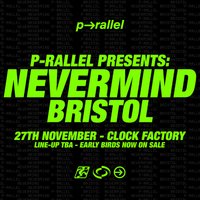
West London party-starter p-rallel brings his highly anticipated Nevermind party back to Bristol, taking over Clock Factory on Friday 27th November 2026.
A regular fixture on NTS and Boiler Room, P-rallel has built a reputation for getting rooms, warehouses and festival fields moving with his unmistakable blend of rap, trap, R&B, house and club music. Alongside collaborations with the likes of Greentea Peng, Fredwave and Jeshi, he continues to champion the artists and sounds within his wider creative circle.
Expect an all-night journey soundtracked by P-rallel alongside a carefully curated lineup of some of the best selectors around, with special guests and support still to be announced.
Friday 27th November. Clock Factory Bristol. Nevermind.
LIMITED £6 EARLY BIRDS NOW ON SALE.
Clock Factory’s renowned production delivers two distinct immersive experiences: 28 floor-to-ceiling screens and VOID Acoustics on the Lightroom Floor, and a central DJ booth surrounded by a powerful three-point Danley Sound System on the 360 Floor. Earplugs highly recommended.
22:00 – 03:00
18+ With valid ID.
No ID. No Entry.
Genres: House, Jungle, UK Garage
Venue: Clock Factory Bristol, Bristol
More from P-RALLEL:
- Appetite On The Farm — 29 Aug 2026
Event listing provided by Skiddle.
